
What gets in the way of simply handing over photos
When delivering a shoot, photographers most often run into three problems:
- Size. A wedding or a commercial shoot takes several gigabytes, and a messenger either compresses the shots or does not let them through at all.
- Privacy. Personal photos must not reach strangers, and a link to a shared folder is easy to pass on.
- Convenience for the client. Archives, drive folders and “how to download” instructions are extra steps that keep the client from seeing your work at its best.
An online gallery solves all three: the client gets one link, views the photos on a phone and downloads them in full quality.
Step 1. Upload the shoot
Create a photosession in the cabinet and drag in the finished shots — photos in JPG and PNG and videos up to 500 MB per file. Sort the shots into folders such as “Ceremony” and “Reception”. Files are kept exactly as you uploaded them, uncompressed.
Step 2. Set up the look of the gallery
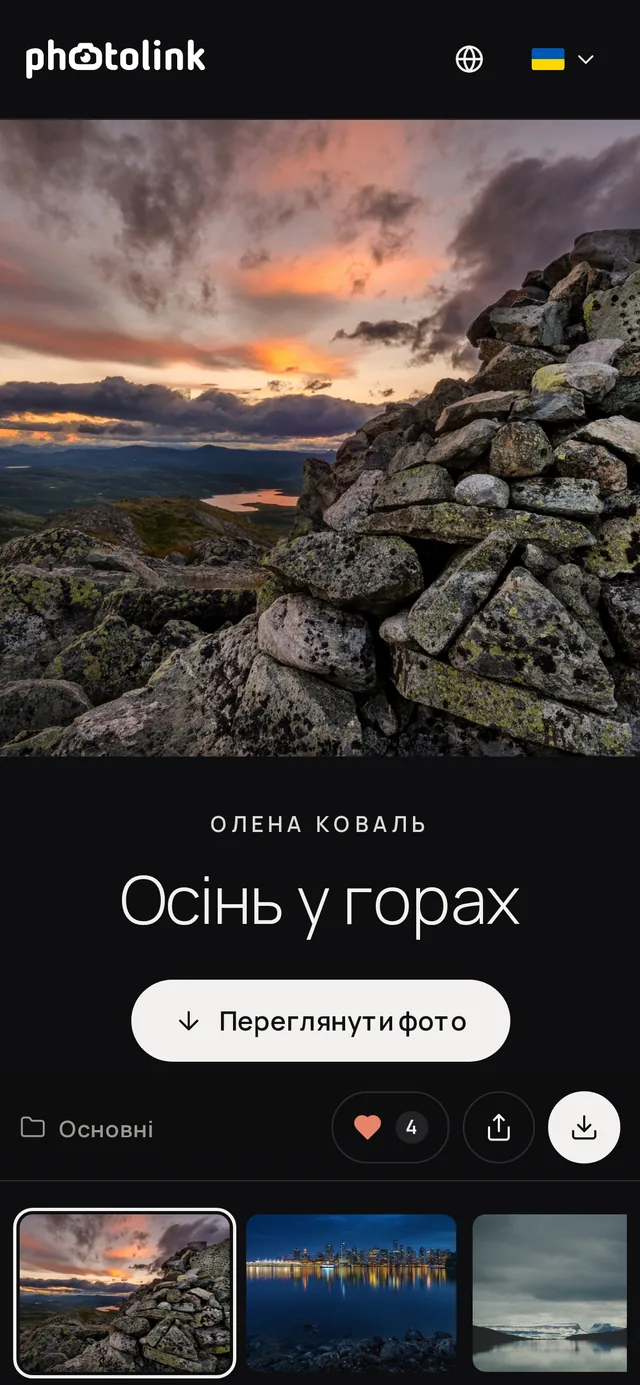
Pick a cover photo and mark the part of it that matters most, so the cover is not cropped badly on a phone. Choose a theme (dark, light or minimal), a cover layout and a title font — every change shows up at once in the live preview.
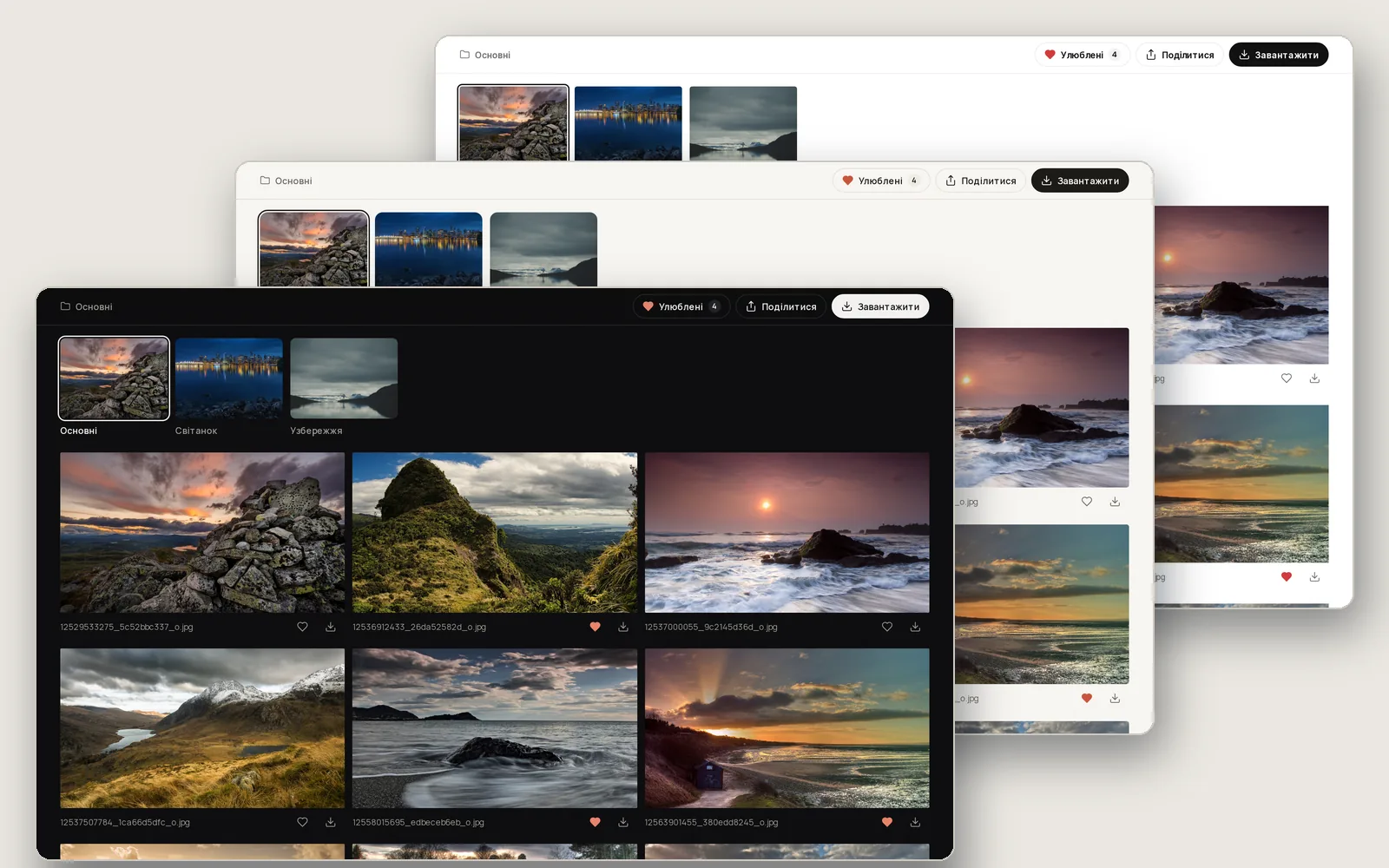
Step 3. Protect access
For personal shoots, set a password: the client enters it once. Set the date until which the gallery is available, or leave it without an end date — you decide.
What the client sees
The client opens the gallery on a phone, browses the folders and views shots full screen. They can mark favourites with a heart and send you a link to the selection, download the whole gallery or a folder as an archive, a single shot in original quality or a version for social media. On an iPhone a single shot goes straight to Photos.
After delivery: how to get the next booking
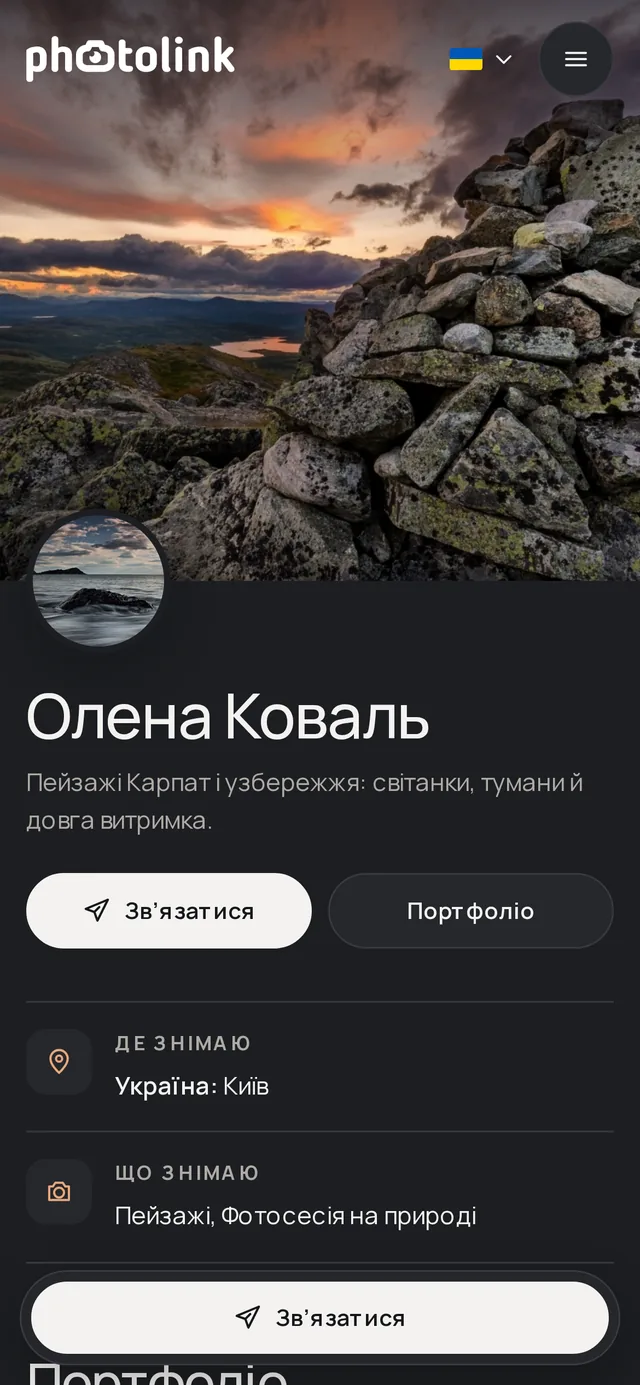
At the end of every gallery the client sees your name, contacts and a link to your portfolio website with prices. And in the photolink catalog new clients find you when they look for a photographer in your city.
In short
- Upload the shoot and sort the shots into folders.
- Set up the cover and the look of the gallery.
- Add a password and an end date if you need them.
- Send the client one link or a QR code.